Unity asset · modular 3D interior kit
Build warm, lived-in homes in Unity.
Cozy Home Interior is a modular low-poly kit of 124 meshes, each with a ready-made prefab. Walls snap on a 2 m grid, the kitchen runs on 0.6 m modules, and every piece shares one material and one 2048² texture atlas.
- 124 meshes & prefabs
- 1 material · 1 atlas
- 12–4,986 tris per mesh
- Built-in · URP · HDRP
Trailer · 62 seconds
Watch a room come together
Modular system
Snaps together on a 2 m grid
Walls, floors and kitchen units follow simple real-world measurements, so a room goes together in minutes and stays tidy when you change it.
- 2.0 × 3.0
Wall modules are 2.0 m long and 3.0 m high. The 0.2 m wall body sits centered on the grid line; baseboard and crown trims add up to 0.03 m per face (0.26 m overall) and window sills reach 0.40 m. Both faces are finished, so one wall can divide two rooms.
- 1 m
Snap increment. Pivots sit at the module center, so a 1 m snap in Unity puts floors at cell centers and walls on grid lines.
- 0.60
Kitchen units are 0.6 m wide. The blind corner base (0.62 × 0.62 m) and the upper corner shelf (0.35 × 0.35 m) match the run depths, so both runs butt against them.
- 1 : 1
Real-world scale, 1 unit = 1 m, with the pivot at the bottom center of every mesh. Furniture sits on the floor and rotates in place.
Demo scenes included
Three furnished rooms to start from
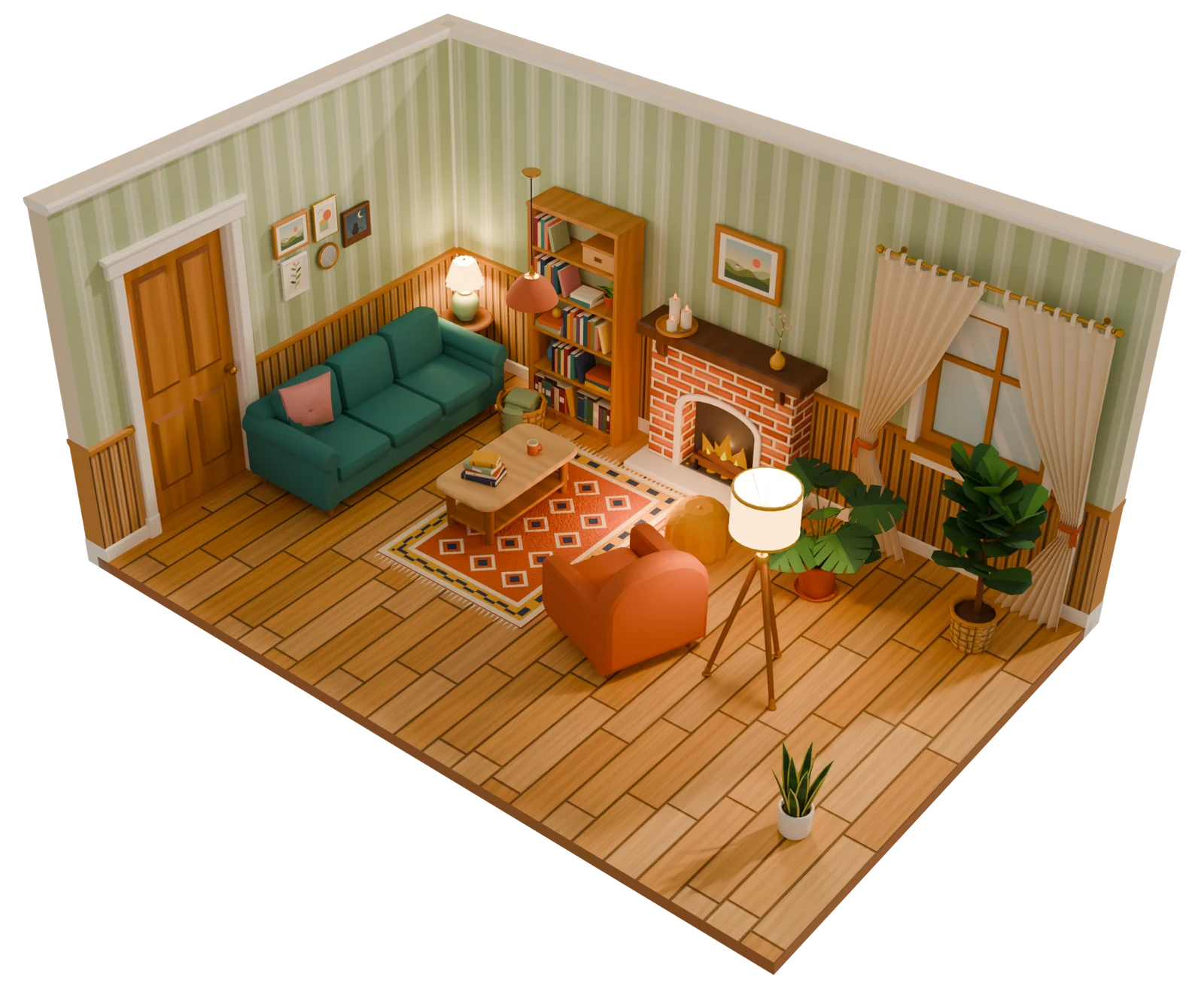
Open a demo room, take it apart, or browse every prefab in the overview scene. The rooms below use only pieces from the pack.
Living room
Brick fireplace, bookcase, teal sofa, armchair, gallery wall, lamps and plants.
Kitchen & dining
Farmhouse sink, range, retro fridge, chimney hood, open shelves and a dining set.
Bedroom
Double bed, wardrobe, dresser, desk, floor mirror and a reading corner.
Rendered in Blender (Cycles) · click or tap a room to see the interior view
The same rooms, in real time in Unity
Real-time · Unity URP + post-processingFull contents
Browse all 124 pieces
Every mesh ships as an FBX with a matching prefab and colliders. Pick a category to see its pieces, their real size and their triangle count.
Sizes in meters, width × depth × height, trims and sills included. Every lamp, the candle set and the fairy lights also come in a switched-off version (marked “off”). Thumbnails rendered in Blender.
Technical details
Built for real projects
- Meshes
- 124 FBX files, 124 prefabs (MeshColliders on architecture, BoxColliders on props)
- Triangles
- 12 to 4,986 per mesh, 928 on average, all under 10,000
- Material
- One material shared by every mesh, GPU instancing enabled
- Textures
- One 2048² atlas: albedo, metallic/smoothness, normal (OpenGL), emission, HDRP mask map
- Scale
- Real-world meters, pivot at the bottom center, imports at scale 1 and rotation 0
- Lighting
- 10 light fixtures (8 lamps, fairy lights, candle set), each with a switched-off variant. Shades, bulbs and flames glow through the emission map; the prefabs carry no Light component, and the demo scenes add real-time point lights.
- Scenes
- 3 furnished demo rooms and 1 overview scene with every prefab
- Unity
- Unity 6.0 LTS (6000.0) or newer
- Docs
- README (PDF and Markdown) with grid rules, placement tips and render-pipeline notes, plus validation reports
- Not included
- LODs, animation, rigging and gameplay scripts
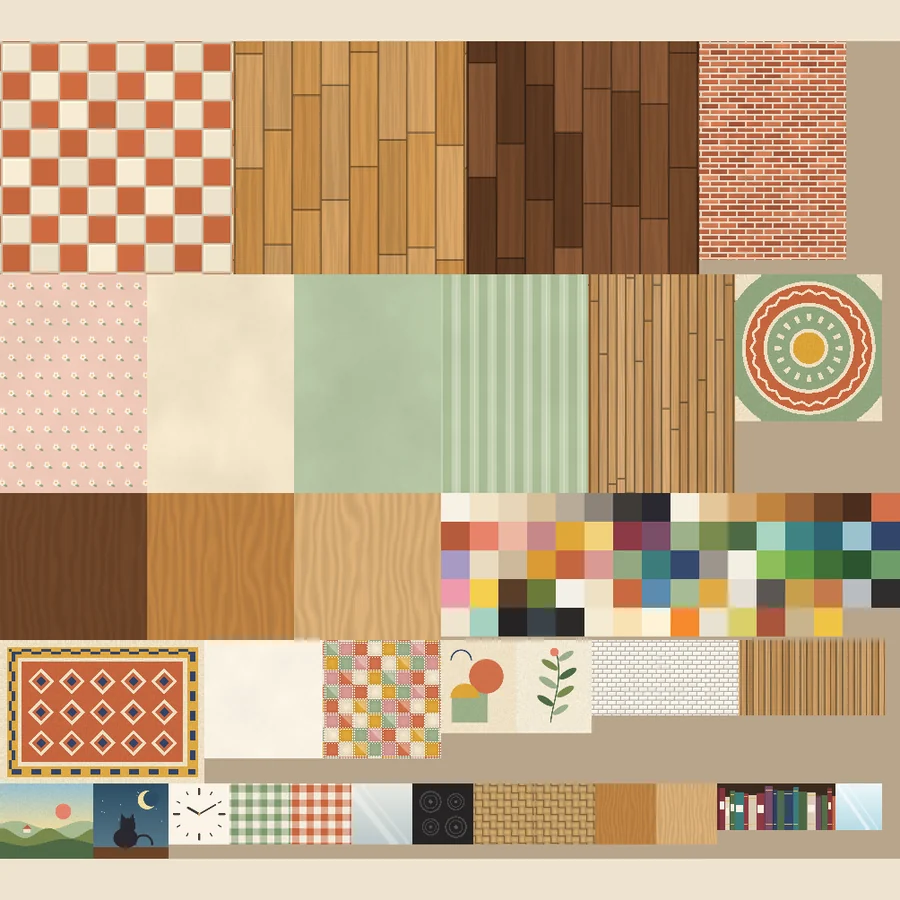
The material sets itself up for your render pipeline. Tested by importing the pack into fresh Unity 6000.0.85f1 projects in all three. In HDRP, raise the demo-scene light intensities.
FAQ
Good to know
Which Unity version do I need?
Unity 6.0 LTS (6000.0) or any newer version. The pack works with the Built-in Render Pipeline, URP and HDRP.
Can I move the kit folder?
Yes. Move the CozyInteriorKit folder anywhere under Assets and keep its name. Every prefab references the material directly.
Do the doors open?
Not by themselves. The door leaves are separate meshes with no animation or script, and they are not marked Static, so you can parent one to an empty at the hinge and rotate it.
Can I use my own shader?
Yes. If you assign your own shader to the material, the kit leaves it alone. A menu command restores the default setup at any time.
Does it include LODs or animation?
No. The meshes are low poly (928 triangles on average) and have no animation or rigging.
Support
Questions? Get in touch
Questions before you buy, bug reports and feature requests are welcome. Please mention your Unity version and render pipeline.
Support contact details are listed on the publisher page of the Unity Asset Store.